Who Said Math Can't Be Aesthetic? The Ultimate Guide to Math Journaling
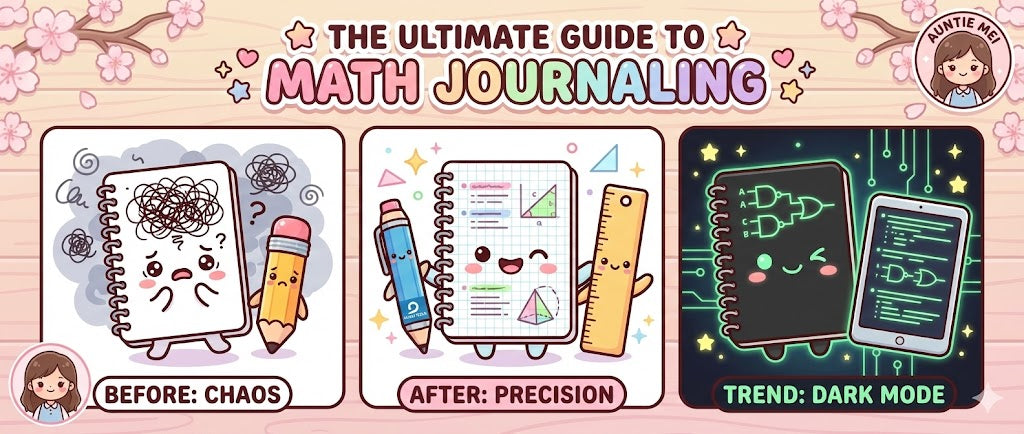
Let's be honest: For most people, a math notebook is a place where dreams go to die.
It is a chaotic graveyard of frantic scribbles, crossed-out numbers, crooked graphs, and smudged graphite. When you look back at your notes three months later to study for finals, they are unintelligible.
Most students treat their math notebook like scratch paper—something disposable. But top STEM students realize that Math is a Language, and your notebook should be your personal, beautifully illustrated dictionary.
You might be asking: "Okay, Auntie Mei, I have the grid notebook. I have the pencil. But what do I actually DO? How do I start Page 1?"
You are right. A tool is useless without a method. So, before we dive into the theory, let's start with the Day One Protocol.
This guide focuses on building math notes that reduce cognitive load, preserve clarity, and scale with difficulty.
Part 1: The Step-by-Step Setup Guide (Tutorial)

This is your literal instruction manual. Grab your brand new Grid Notebook and follow along.
Before you write a single equation, sit down and number the bottom corner of every page (1, 2, 3...). Math is sequential. You will need to cross-reference later (e.g., "See proof on pg. 42"). Without page numbers, your journal is just a pile of paper.
Reserve the first 3 pages. Label them "INDEX". Draw two columns: "Topic" and "Page #". Do not fill this in yet. You will fill this in as you go. This transforms your notebook from a diary into a textbook.
On the inside front cover, glue a small card defining your color code.
● Red = Variables / ● Blue = Formulas / ● Green = Answers.
Trust me, in 3 months you will forget your own system if you don't write it down.
On every new page, use your ruler to draw a vertical line 4cm from the left edge.
Left side: Write only Headers, Theorems, and Key Terms.
Right side: Write the proofs, graphs, and calculations.
This creates natural whitespace and makes scanning for topics instant.
Part 2: The Neuroscience of "Pretty" Notes

Your working memory is limited. When your notes are messy, your brain wastes energy just trying to decipher your own handwriting. This is called "Extraneous Cognitive Load."
By using color coding and structured grids, you reduce this load. Furthermore, Dual Coding Theory states that combining verbal information (formulas) with visual information (graphs/diagrams) creates two separate memory traces in the brain, doubling your recall ability.
Effective math notes minimize extraneous cognitive load and transform symbols into retrievable visual patterns.
Part 3: The Tyranny of the Grid (Paper Choice)

I will be blunt: Lined paper is illegal for math. It forces you to write linearly, like a sentence. But math is vertical. Math is spatial. Using lined paper for calculus is like trying to play chess on a monopoly board. You cannot align denominators, vectors, or matrices on lined paper.
To create a functional Math Journal, you must choose the "Pro" option: Grid (Graph) Paper. But not all grids are created equal.
The 2026 Trend: 3mm vs 5mm vs Dot Grid
- 5mm Grid (Standard): Best for Algebra and Geometry. One box = one number.
- 3mm/4mm Grid (Engineering): Best for Calculus and Physics. The smaller grid allows for high-resolution diagrams and complex vector fields.
- Dot Grid (The Minimalist): Best for Computer Science. It provides guidance for flowcharts and logic gates without the heavy lines cluttering your code snippets.
Part 4: Precision Engineering (The Tools)

Math is about precision. You cannot achieve precision with a dull, round, smudgy ballpoint pen.
The Engine
Uni Kuru TogaThis is not just a pencil; it's a machine. It has an internal "Auto-Rotation Engine" that rotates the lead 9 degrees every time you lift the tip. This keeps the point perfectly sharp (conical) at all times. Essential for writing tiny superscripts like $x^2$.
The Tank
Zebra DelGuardDo you snap your lead when you get frustrated? The DelGuard has a dual-spring suspension system that protects the lead from vertical and diagonal pressure. It is unbreakable. Perfect for aggressive problem solvers.
The Lead
Ain Stein (2B or B)Stop using HB. It is too hard and faint. For math, you want B or 2B. It is darker, smoother, and crucially—easier to erase completely. HB leaves dents in the paper; 2B lifts off like butter.
Tool performance varies based on writing pressure, paper quality, and hand posture. Always test on a spare page before using tools for exams or long-term notebooks.
STEM Note-Taking Pens vs. Regular Office Pens

Most office pens are designed for speed and durability, using oil-based or high-flow ink. STEM note-taking pens prioritize controlled ink flow, low pressure, and precision. The difference becomes obvious during long problem-solving sessions: cleaner symbols, less hand fatigue, and fewer alignment errors.
Part 5: Speed & Logic (The STEM Shorthand System)

One reason math notes look messy is that students try to write sentences. Stop writing words. Use the universal language of logic. Auntie Mei suggests using symbols to keep your brain in the "logic flow" rather than "writing mode."
Part 6: Advanced Layouts (STEM-Cornell & Wall of Shame)

The traditional Cornell method works for History, but Math needs a specialized layout. Here is the STEM-Cornell Variation.
📐 The STEM-Cornell Page Split
- Left Column (Cue Column): Do not write questions here. Instead, write the Theorem Name (e.g., "Pythagorean Thm") or the Formula Name. This creates a scan-able index.
- Right Column (Main Notes): This is for your derivation, graphs, and logic flow using the grid.
- Bottom Section (The Trap Zone): Most important! Do not write a summary. Write the "Pitfalls". Example: "Note: This theorem only applies to Right Triangles!"
Pattern Recognition: The "Wall of Shame"
The most efficient way to learn is not solving new problems, but autopsying old errors. Dedicate the last 10 pages of your notebook to a "Wall of Shame."
When you miss the same type of problem 3 times, write it here. Use small sticky notes to tag the error type: "Calculation Error" (Careless) vs. "Logic Error" (Deep Misunderstanding). This pattern recognition turns your failures into data.
Part 7: The Showdown Matrix (Paper Comparison)
Still tempted to use lined paper? Look at the data.
| Feature | Lined Paper | Grid Paper (5mm) | Dot Grid | Blank Paper |
|---|---|---|---|---|
|
Alignment (Aligning Digits) |
❌ Poor (Rows only) |
✅ Perfect (Rows & Cols) |
⭐ Good (Implicit) |
❌ Chaos |
|
Geometry (Drawing Shapes) |
❌ Difficult | ✅ Easy (Built-in axes) |
⭐ Flexible | ⚠️ Hard |
|
Graphing (Functions) |
❌ Impossible | ✅ Native | ⭐ Clean | ❌ Impossible |
| Aesthetic | 🧱 Cluttered | 📐 Tech / Structured | ✨ Minimalist | 🎨 Artistic |
Part 8: The Hybrid Workflow (iPad + Paper)

In 2026, the debate isn't "Paper vs. Digital." It's "Paper AND Digital." Here is the optimal workflow for top students:
- The Scratchpad (Digital): Use your iPad/Tablet for rough calculations, homework problems, and endless practice. This saves trees and allows for infinite erasing.
- The Bible (Paper): Once you understand a concept, summarize it beautifully into your physical Grid Notebook. The act of slowing down and writing it on paper encodes it into your long-term memory.
- The Archive (Cloud): Before the exam, scan your paper notes (using an app like Adobe Scan) to create a searchable PDF backup.
Part 9: Aesthetic Trends & Dark Mode

Not all STEM majors are the same. Customize your gear based on your field.
- Organic Chemistry: Use Hexagon Grid Paper. It makes drawing benzene rings and carbon chains incredibly satisfying.
- Engineering / Architecture: Use Isometric Grid Paper. The grid is tilted at 60 degrees, allowing you to draw 3D structures and pipes in perfect perspective.
🌙 2026 Trend: Dark Mode Analog
Computer Science majors and nocturnal engineers are switching to Black Paper Notebooks (like the Sakura Black Pad) combined with Neon or White Gel Pens (Sakura Gelly Roll Moonlight).
Why? It mimics the "Dark Mode" of your IDE (Coding Environment). The high contrast of neon green on black paper is perfect for drawing logic gates, neural network architectures, and circuitry. It is easier on the eyes during late-night study sessions.
Part 10: Long-Term Maintenance & Archiving

Your Math Journal is a reference book you will use for years (even in grad school). Here is how to make it last.
- Fixative Sprays: Graphite smudges over time. For critical summary pages, lightly mist them with an "Art Fixative Spray" (used by sketch artists) to seal the graphite to the page.
- Edge Indexing (Japanese Method): Don't use sticky tabs that fall off. Use markers to color the edge of the page. Assign a color to each chapter (e.g., Chapter 1 is Blue). When the book is closed, you will see a blue block on the side, allowing you to flip to "Calculus" instantly.
- Vellum Overlays: For complex 3D geometry, tape a sheet of semi-transparent Vellum paper over your graph. Write your annotations on the Vellum. This allows you to add layers of information without ruining the original drawing underneath.
Part 11: Frequently Asked Questions (FAQ)
Math involves complex notation with tiny components (exponents, subscripts, fractions). We highly recommend 0.3mm or 0.4mm lead. The finer line allows you to write clear, legible superscripts inside the grid boxes without the graphite smudging together.
For STEM notes, precision and consistency matter more than speed.Only for headers and definitions. For actual problem solving, never use permanent ink. Math requires trial and error. If you must use a pen, use a Pilot Frixion (Erasable) or a super-fine oil ballpoint (Jetstream) for the final summary notes only.
Pencils are for solving, pens are for finalizing.Use the "Knuckle Pivot" trick. Place your pinky knuckle on the paper as an anchor. Hold the pencil steady. Spin the paper underneath your hand while keeping your hand frozen. Alternatively, carry a small Stencil Ruler in your pencil case.
Quick tricks work, but proper tools deliver professional results.This is why you need a High-Polymer Eraser (like Pentel Ain or Tombow Mono). Standard pink rubber erasers are too abrasive and will destroy the surface of grid paper. High-polymer erasers lift graphite gently without damaging the grid lines.
Invest in a quality eraser—it's as important as your pencil.Adopt the "Two-Notebook System." Use a cheap, spiral-bound notepad for messy calculation and "brain dumping." Once you have solved the problem and understood the logic, copy the clean, finalized proof into your high-quality Math Journal.
Separate the process from the product for clarity.Yes, "Graphite Hand" is real. The solution is Smudge-Proof Lead. Brands like Uni NanoDia and Pentel Ain Stein infuse oil into the graphite lattice, making it stick to the paper instantly and resisting hand-smearing by 90%.
Quality materials solve common problems.Yes. Standard cheap paper is 60gsm; it tears easily when you erase vigorously. For math, look for 70gsm to 80gsm paper (like Kokuyo Campus). It is tough enough to handle heavy erasing and geometric compass points without ripping.
Paper quality directly affects note longevity and usability.A final note from Auntie Mei
If you solve problems every day, your notebook is not just paper — it's an extension of your thinking. Start with one small improvement. Your future self will notice.
Shop Grid Notebooks & Kuru Togas